,
Visitor Parking
Visitors must register their vehicles everyday they are at the apartment. Visitor parking registrations are good for 24-HOURS from the time of registration. To register for a visitor parking permit go to https://Register2Park.com and complete the registration form.
Steps to register vor Visitor Parking
- On the main page, click “Register Vehicle”.
- On next page: Type “Seville” and press Enter. Then select the “Seville at Bellmar” apartments.
- A new page will appear: Select “Visitor Parking” (Only option available)
- A new page will appear asking for an Access Code: Seville #10651 (Type with space before # then press Enter)
- A new page will appear asking for Vehicle Information including: Apartment number along with Vehicle Make, Model, & License Plate (See screen below).
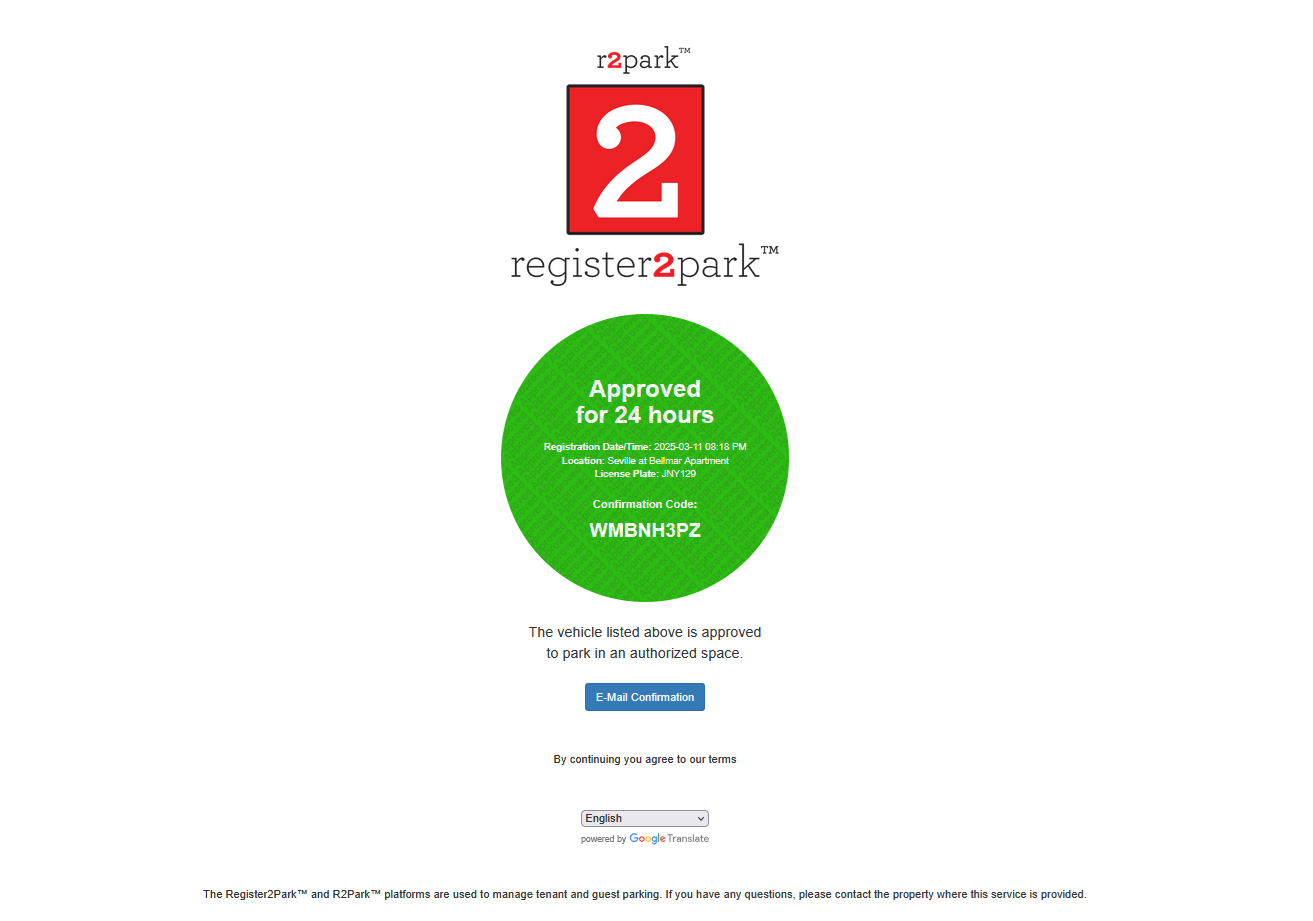
- A new page will appear confirming your Visitor Parking registration, proving a confirmation number and opportunity to request Email confirmation. At minimum, write down confirmation number, but recommend requesting the Email confirmation. (See screen below)
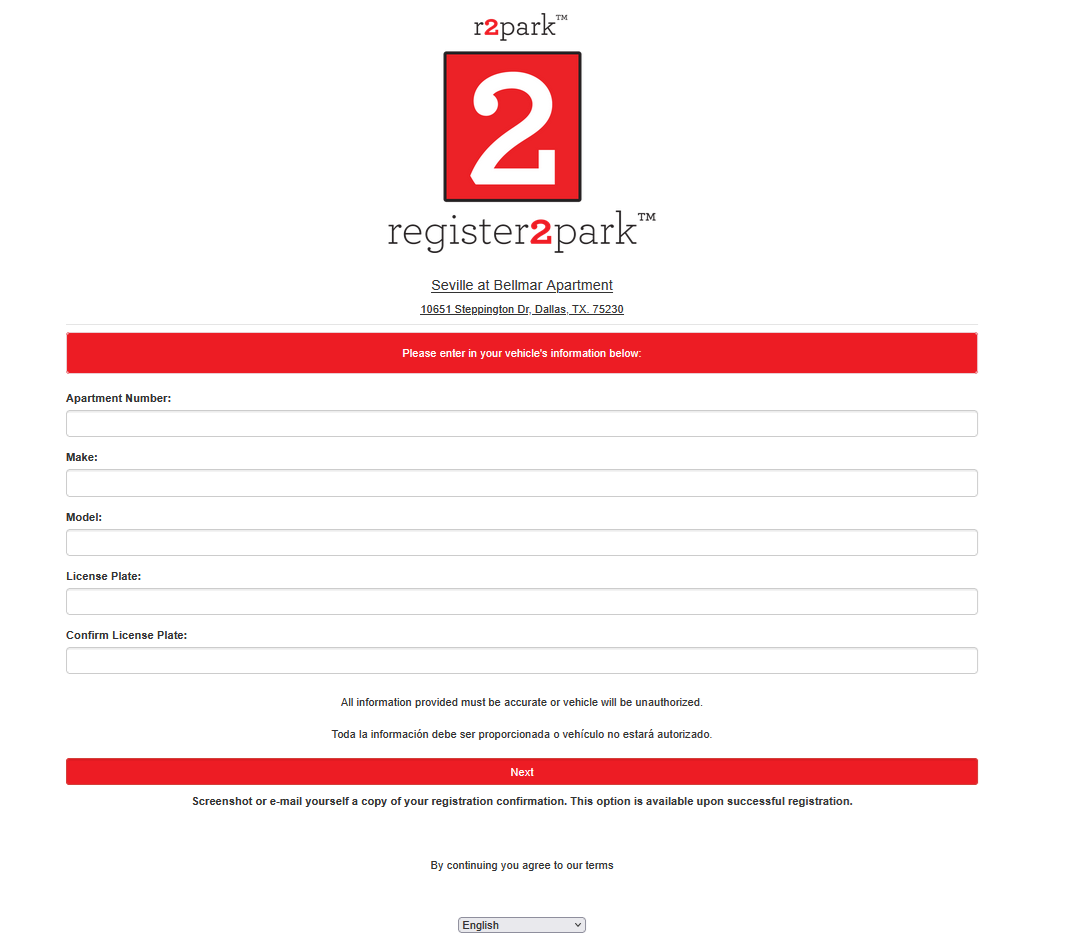
Some hints about filling out this form:
- Although the apartment complex name has been changed to Bellmar East, you must specify the old name, Seville at Bellmar at the prompt.
- After filling out the information on the screen above, press “Next”. You will get a confirmation screen as shown below. It is valid for 24 hours. There is no charge to park at the apartments.
- If you desire a copy of your registration, click “E-Mail Confirmation” and you can send it in an email to yourself.